TrainerRoad does not offer the ability to pause subscriptions—whether monthly or yearly. This means there's no way to "pause" your account and save any unused time for later.
However, you can cancel your subscription at any time and return when you’re ready. Your training data will be saved, and you can pick up right where you left off.
Monthly Subscribers
While monthly plans can’t be paused, you can cancel at any time. Your access will continue through the end of your current billing period, and you won’t be charged again unless you re-subscribe.
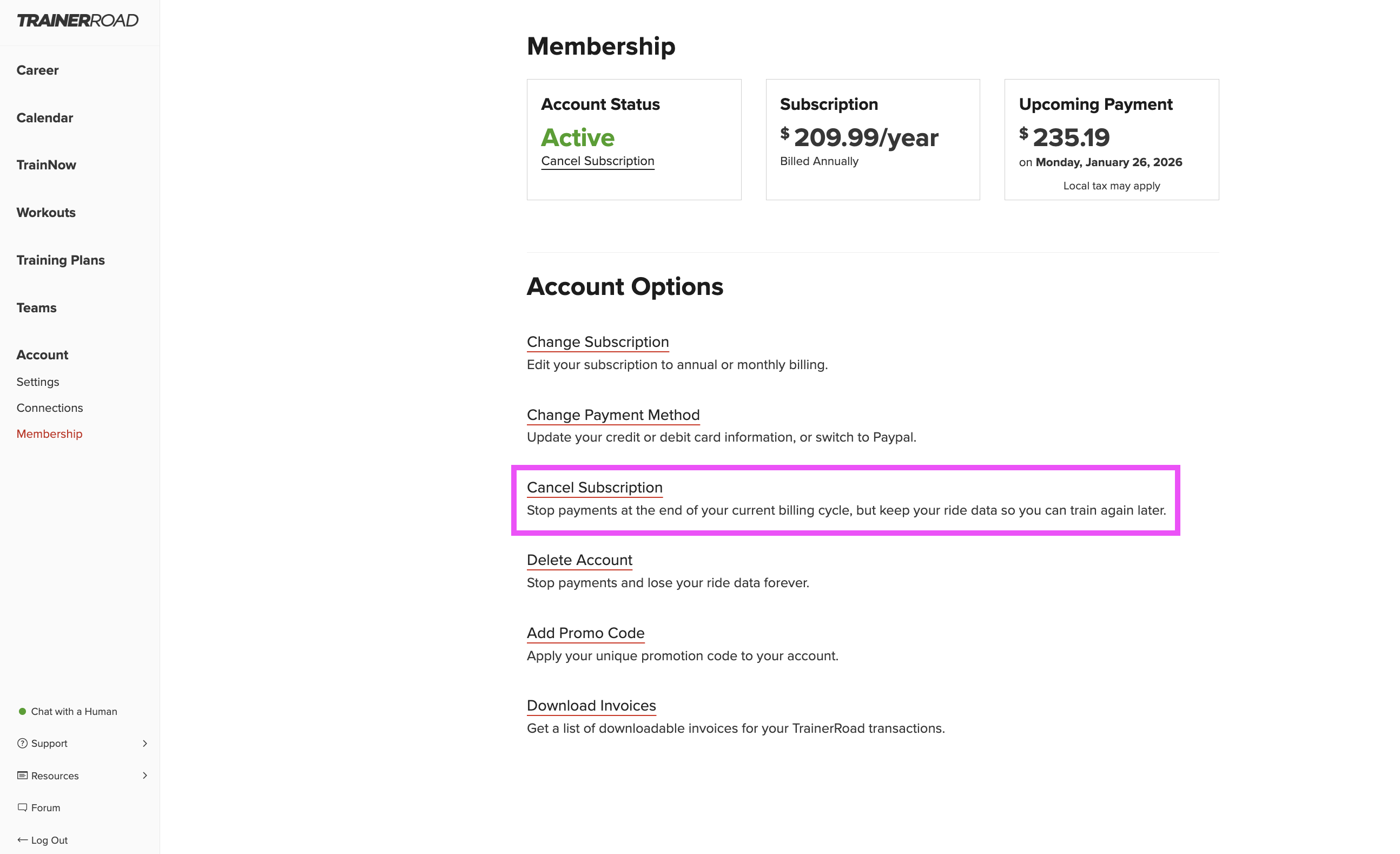
How to cancel:
- Log into your account at TrainerRoad.com.
- Click on Account in the left side panel.
- On the left-hand side under Account, click Membership.
- Select Cancel Subscription and follow the prompts.
Your account and training data—including past rides, custom plans, and FTP history—will be saved.
Yearly Subscribers
Annual subscriptions also cannot be paused or partially refunded. If you cancel, you’ll continue to have access through the end of your paid year, but no unused time can be saved or credited.
For more details on our refund policy, please see: TrainerRoad Refund Policy
Cancelling vs. Deleting: What’s the Difference?
- Cancelling your subscription stops future billing. Your data is saved, and you can resubscribe at any time.
- Deleting your account removes everything—your data, history, and access. This action is permanent and cannot be undone.
For more info on managing your account, check out:
How to Cancel or Delete Your TrainerRoad Account
Need Help?
If you’re unsure which option is right for you or need help with your subscription, reach out to us at [email protected]—we’re here to help.