Workout Alternates are workout recommendations with a similar difficulty and workout profile as your original workout. It can be used to find workouts that are similar, easier, harder, longer, shorter, than the original workout.
Workout Alternates is ideal for athletes on a training plan who find themselves with more or less time than expected to train.
How to use Workout Alternates on the Web
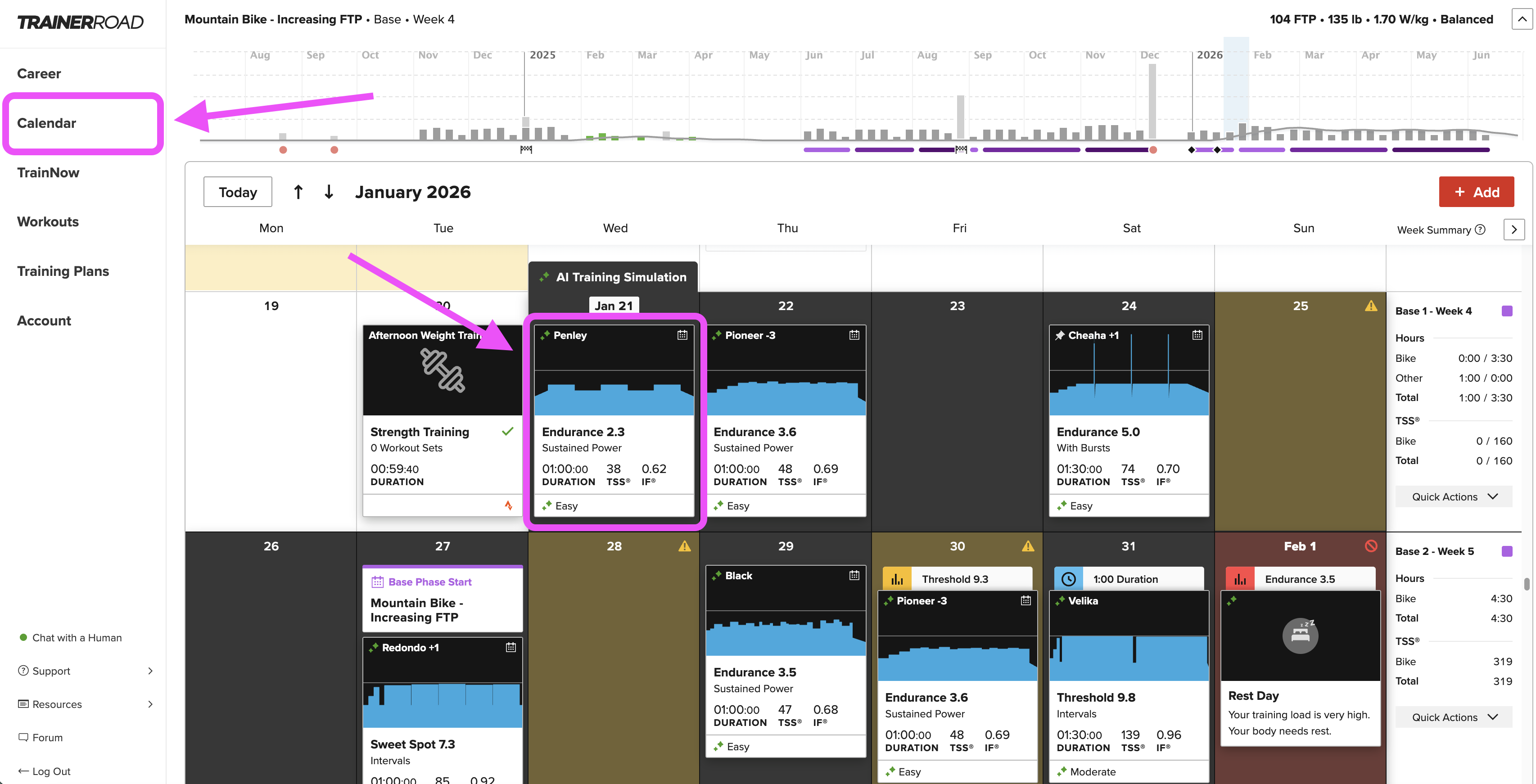
Step One: Navigate to the Calendar and click on the workout you'd like to find an alternate for.
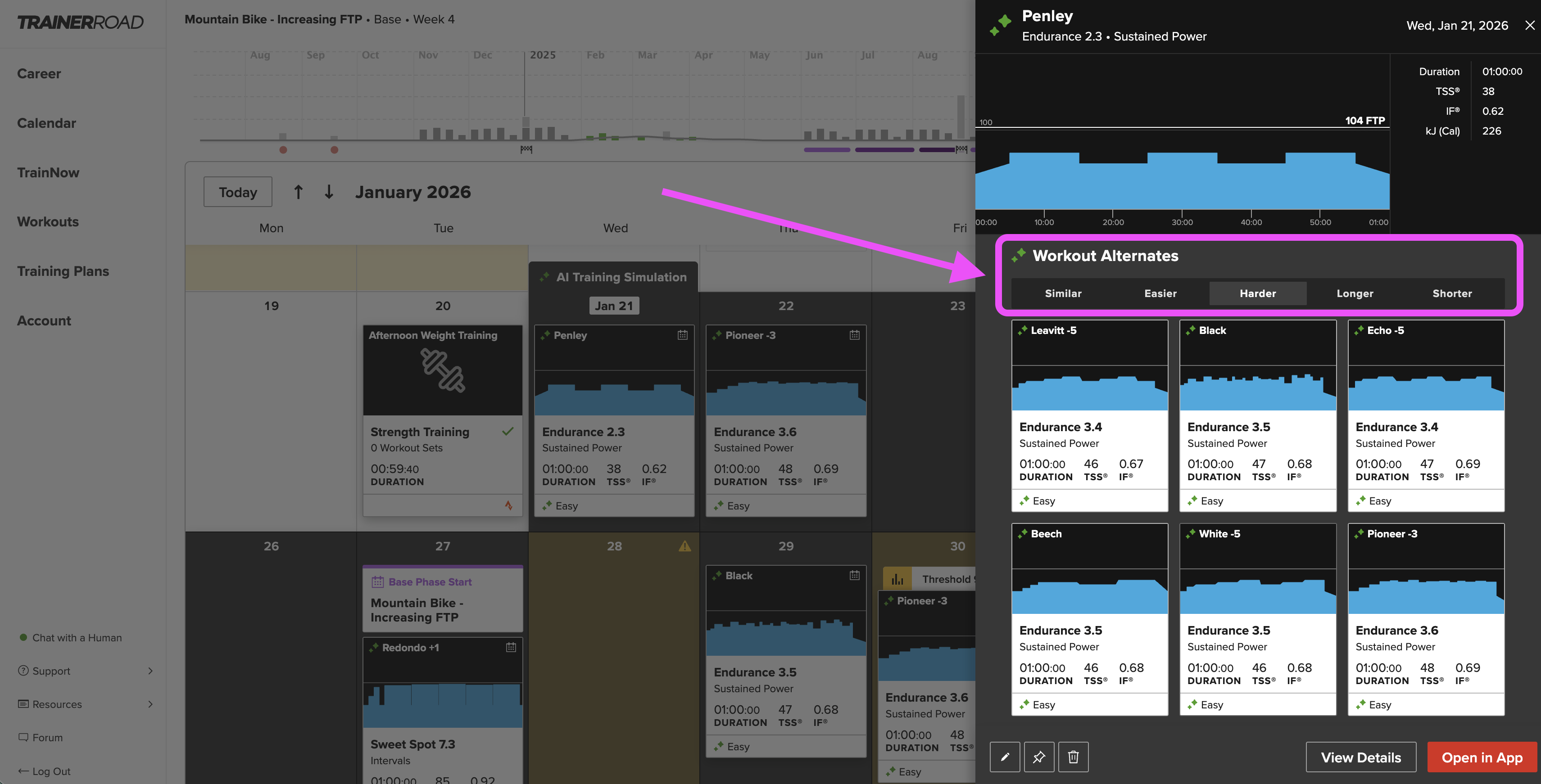
Step Two: Scroll to the Workout Alternates section of the workout overview
Step Three: Choose the category of workout that you would like to find (Similar, Easier, Harder, Longer, or Shorter)
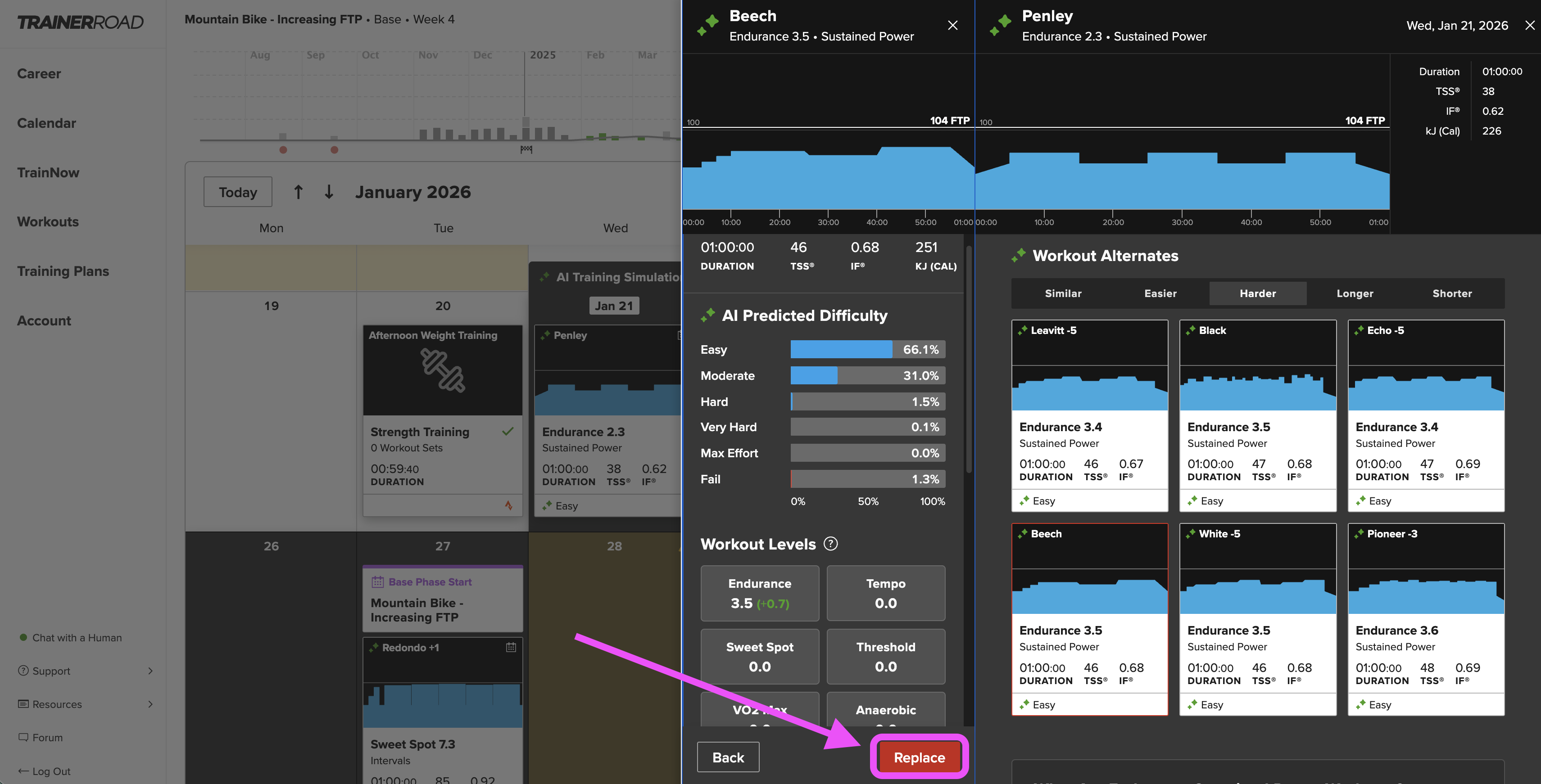
Step Four: Click on the Workout you want to replace, and click Replace to add your new workout to the Calendar!