TrainerRoad offers several different languages within our mobile and desktop apps including Spanish, French, and many others.
Changing Language on Mobile (iOS & Android)
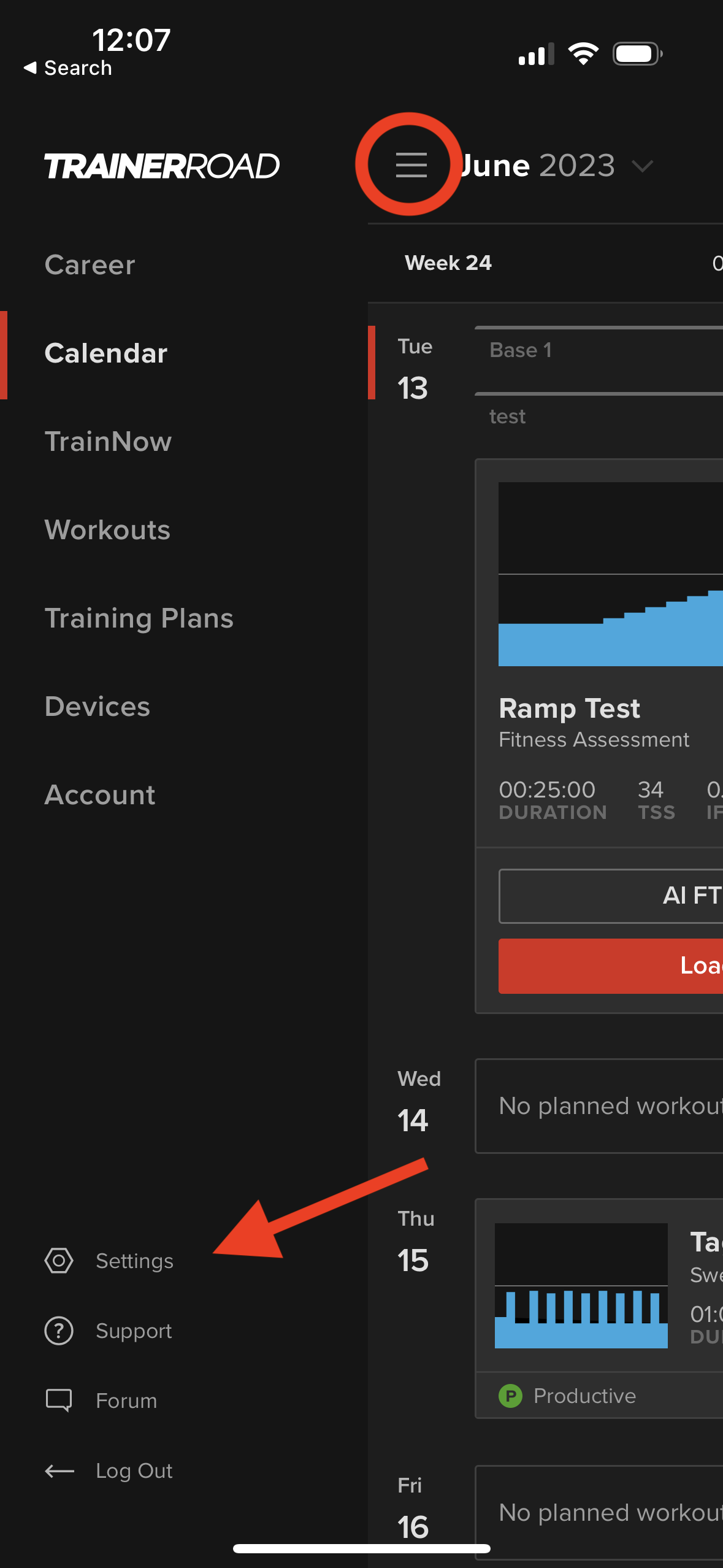
1. Click the "Menu" button in the top left-hand corner, then select "Settings"
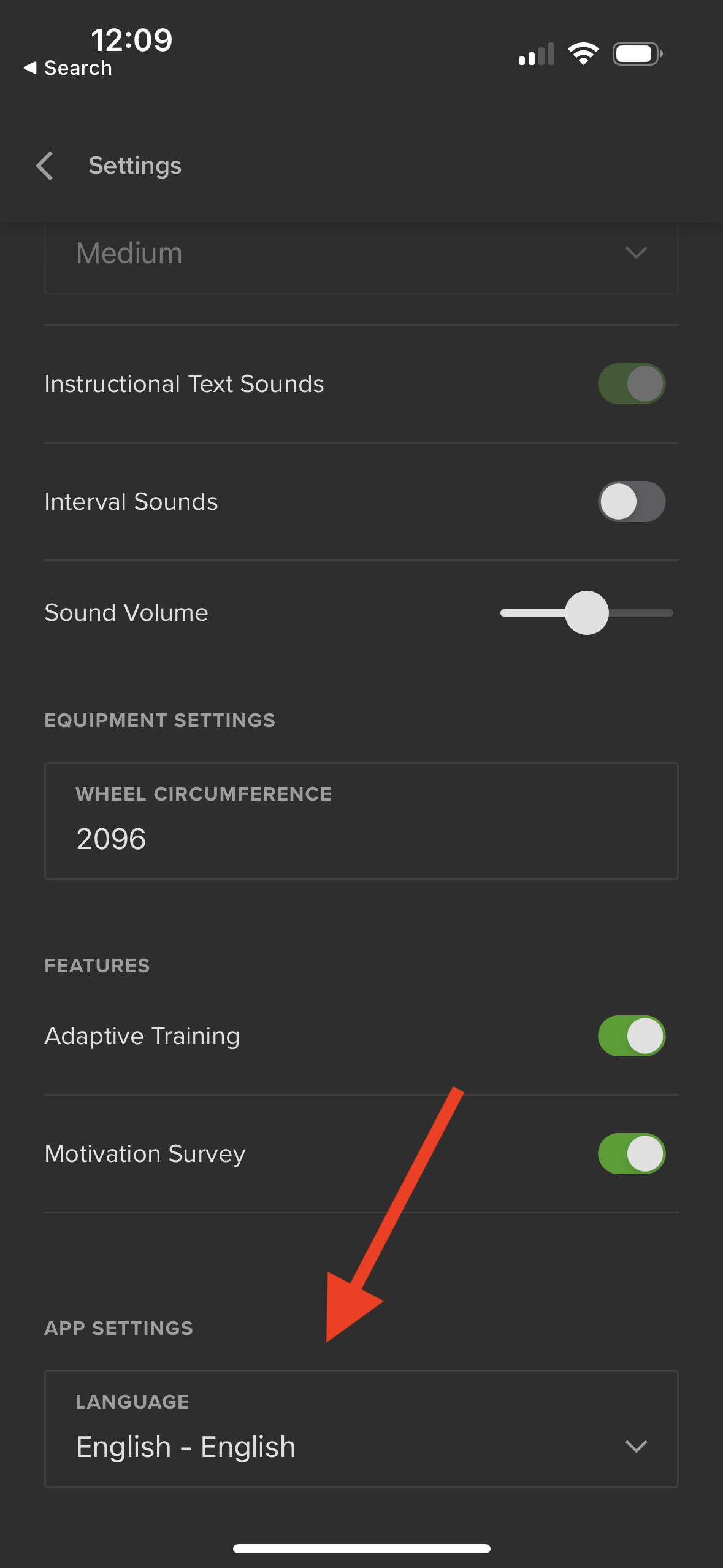
2. Scroll down until you see a "Language" drop-down menu beneath the "App Settings" section and click on that.
3. Select your desired language, then confirm the language change! Note: This can take a few minutes.
Changing Language on Desktop (Mac & Windows)
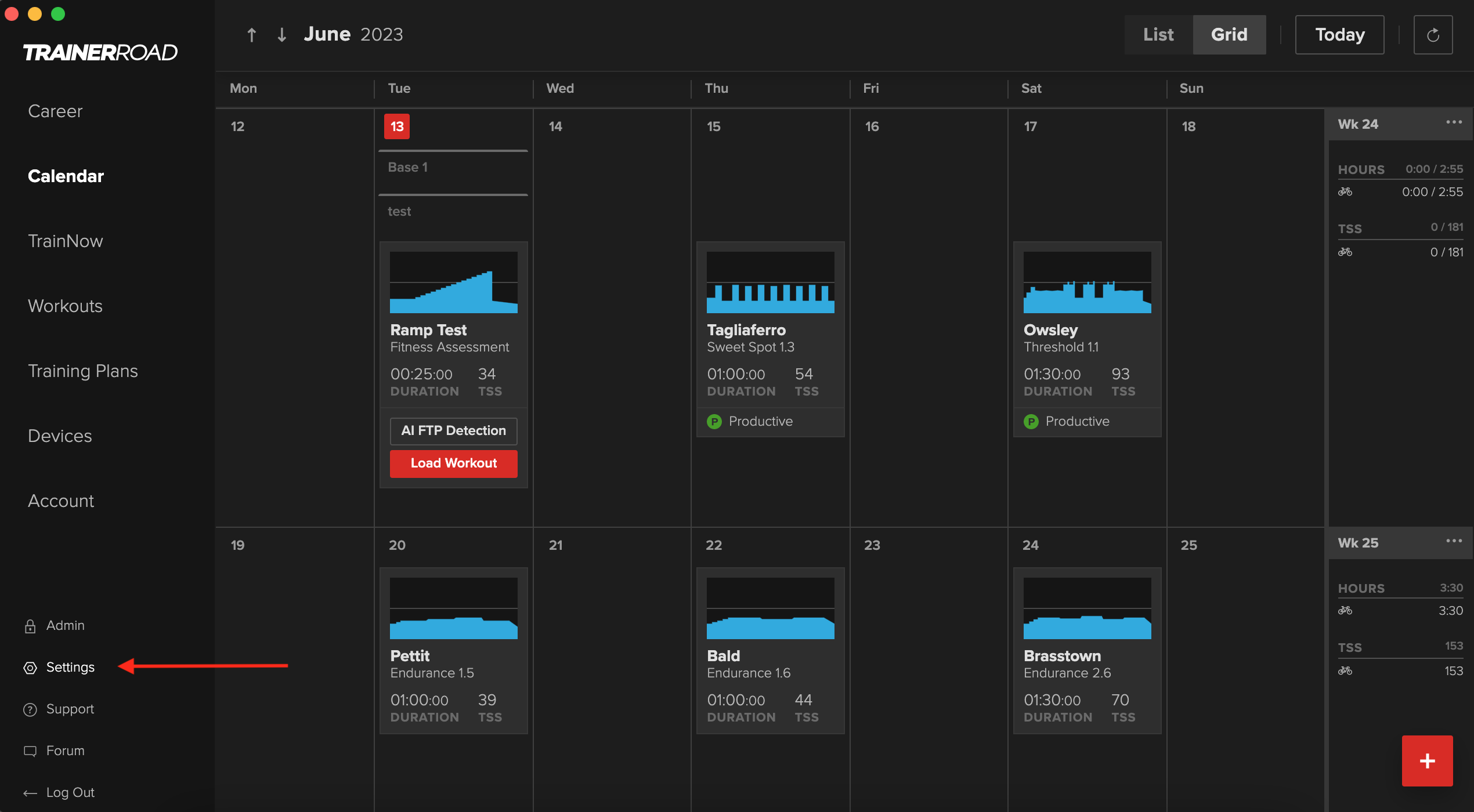
1. Select "Settings" from the menu on the left-hand side
2. Click on "Language" within the menu on the resulting dialogue box
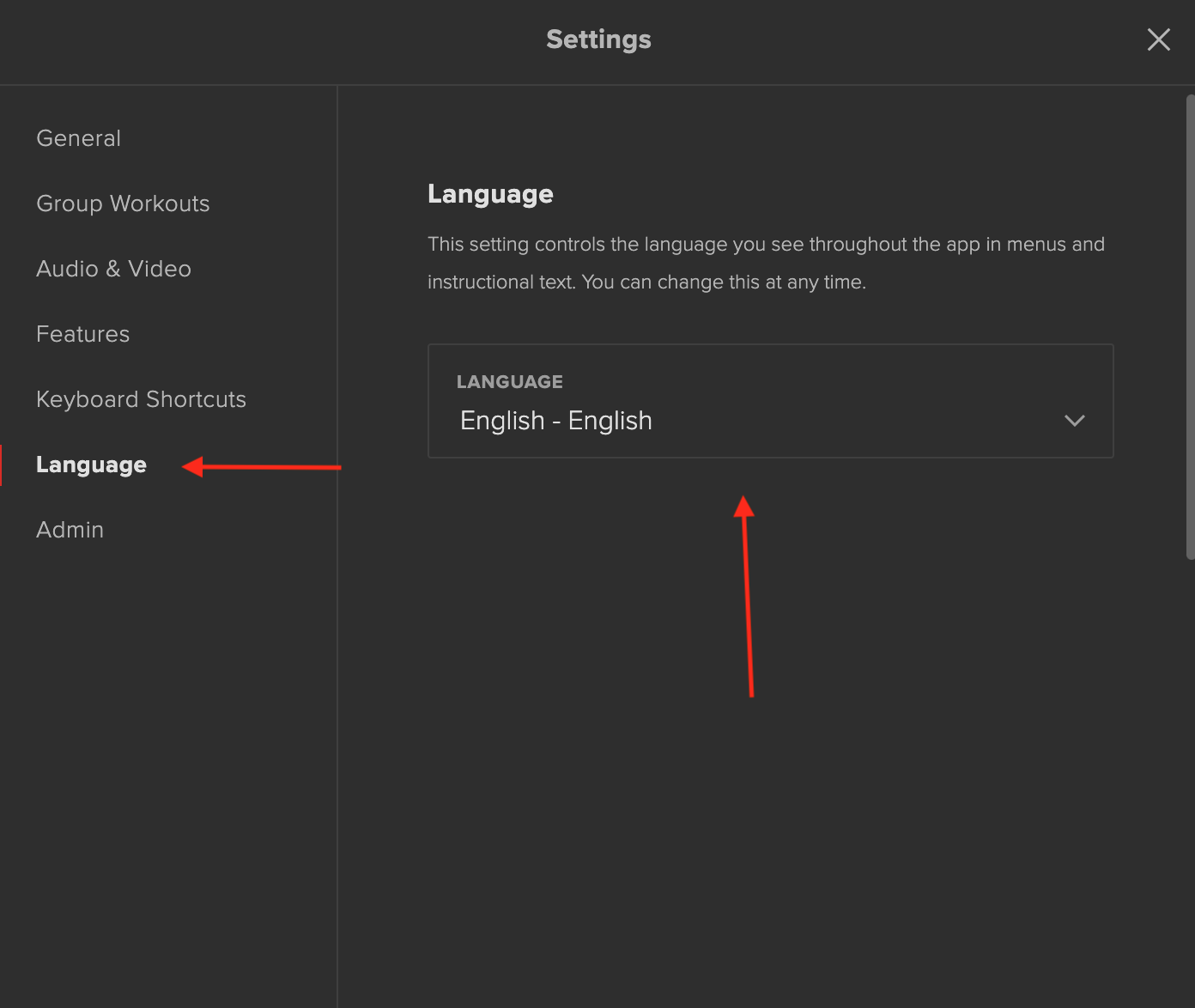
3. Use the drop-down menu to select your desired language! Note: This may take a few minutes