You can manage and see all of the available third-party connections in the Connections section of your Account settings in TrainerRoad, located here: TrainerRoad: Activity Sync
From this page you can add new connections, disconnect from platforms you've connected to, and re-authorize or adjust connection settings when necessary.
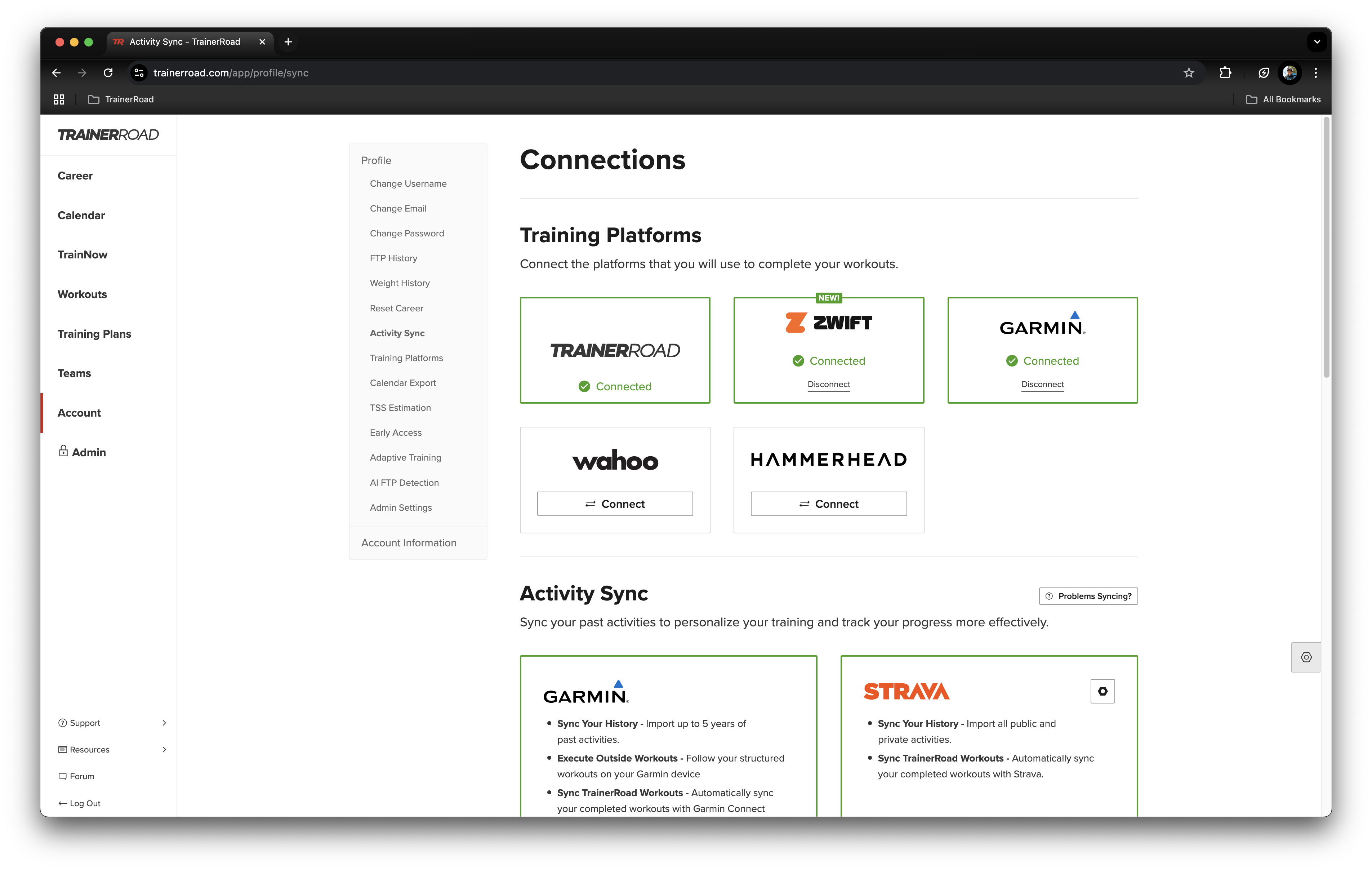
Compatible Platforms
You can connect your TrainerRoad account to a number of third party platforms. Functionality with these platforms varies depending on the platform you are connecting to. See the list below for a full break down of each platforms compatibility with TrainerRoad!
Zwift
How to Set up Sync with Zwift
- Upcoming TrainerRoad Workouts: Sync Todays planned TrainerRoad cycling workouts to Zwift to be completed in Zwift
- Completed Zwift Activities: Workouts completed in Zwift will be pulled back into TrainerRoad.
Garmin
How to Set up Sync with Garmin Connect
- Garmin Training History: TrainerRoad will pull in up to five years worth
- Garmin Activity: Activities completed on your Garmin and uploaded to Garmin Connect will be pulled into TrainerRoad.
- TrainerRoad Outside Workouts: Today's scheduled Outside TrainerRoad workouts will be pushed to your Garmin Connect account to be completed on your Garmin.
- Completed TrainerRoad Workouts: Workouts completed in TrainerRoad will be exported to Garmin Connect.
Strava
How to Set up Sync with Strava
- Strava Training History: TrainerRoad will pull in all of your public and private activities on Strava
- Completed TrainerRoad Workouts: Workouts completed in TrainerRoad will be exported to Strava.
Wahoo
How to Setup Sync with Wahoo
- TrainerRoad Outside Workouts: Today's Planned Outside TrainerRoad workouts will be pushed to your Wahoo account to be completed outside on your Wahoo.
Hammerhead
How to Set up Sync with Hammerhead
- TrainerRoad Outside Workouts: Today's Planned Outside TrainerRoad workouts will be pushed to your Hammerhead account to be completed outside on your Hammerhead.
TrainingPeaks
How to Set up Sync with Training Peaks
- Planned TrainingPeaks Workouts: Compatible planned indoor workouts in TrainingPeaks will be imported so that they can be completed in TrainerRoad.
- Completed TrainerRoad Workouts: Workouts completed in TrainerRoad will be exported to Strava.
Apple
How to Set up Sync with Apple Watch
- TrainerRoad Outside Workouts: Planned Outside TrainerRoad workouts will be pushed to your Apple watch.
Final Surge
How to Set up Sync with Final Surge
- Planned FinalSurge Workouts: Planned Final Surge sessions will be imported into TrainerRoad.
- Completed TrainerRoad Workouts: Workouts completed in TrainerRoad will be exported to Final Surge.
TriDot
How to Set up Sync with TriDot
- Planned TriDot Workouts: Planned TriDot sessions will be imported into TrainerRoad.
- Completed TrainerRoad Workouts: Workouts completed in TrainerRoad will be exported to TriDot.
Dropbox
How to Set up Sync with Dropbox
- Completed TrainerRoad Workout Files: Completed workout files will be saved to Dropbox.