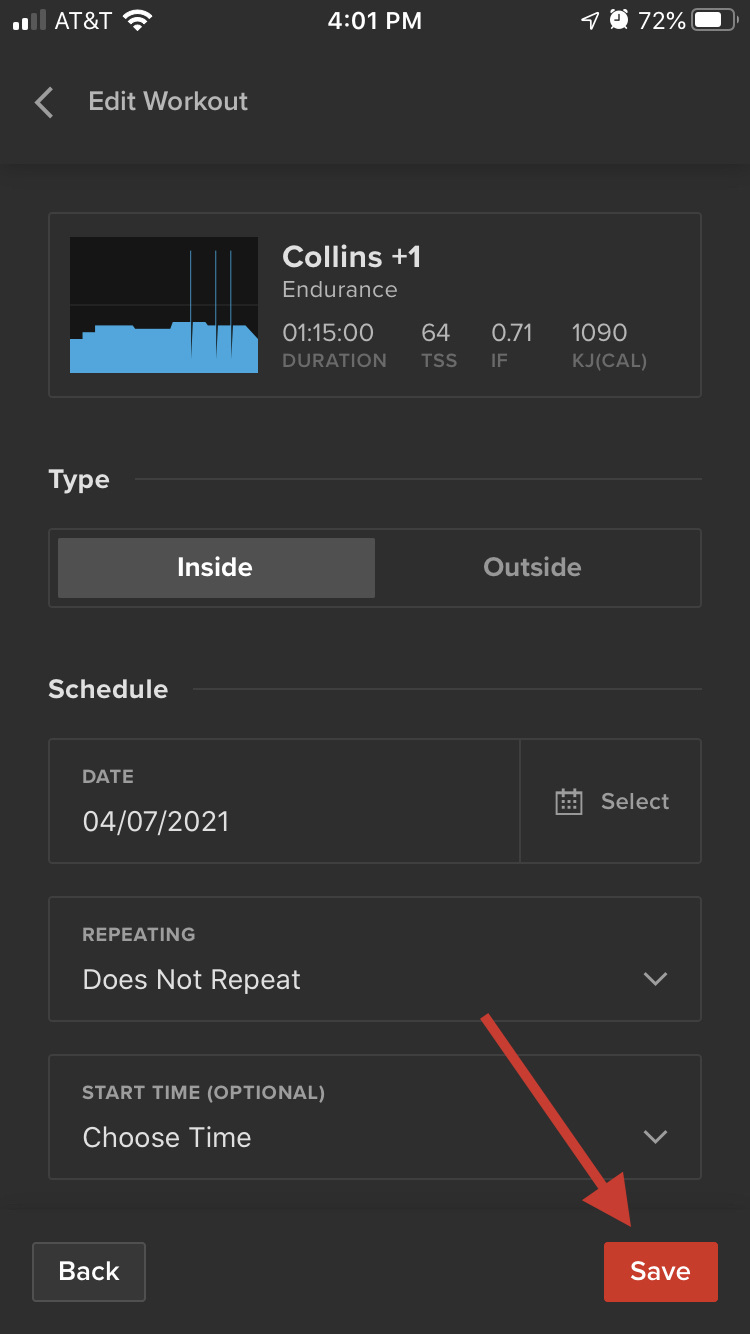
You sure can! Athletes can now edit their calendar directly from the mobile apps.
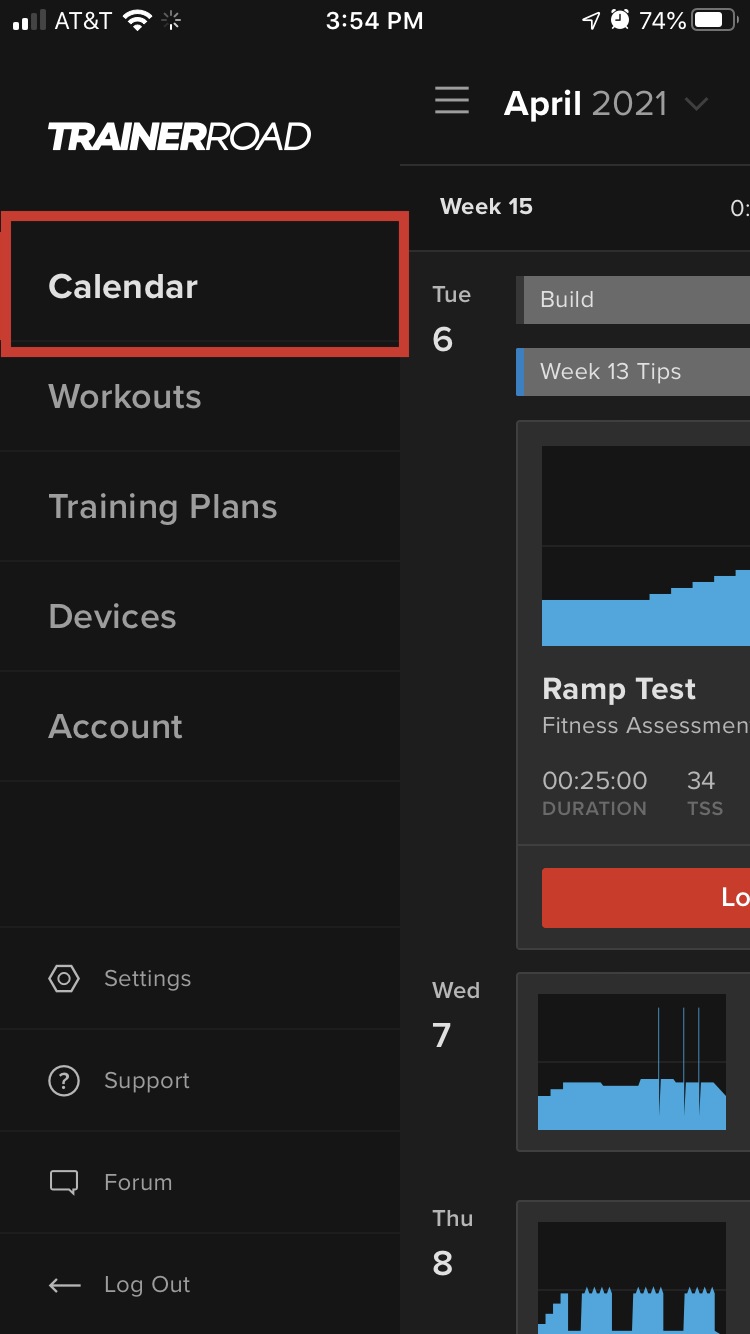
Step 1. Select the Calendar section of the app.
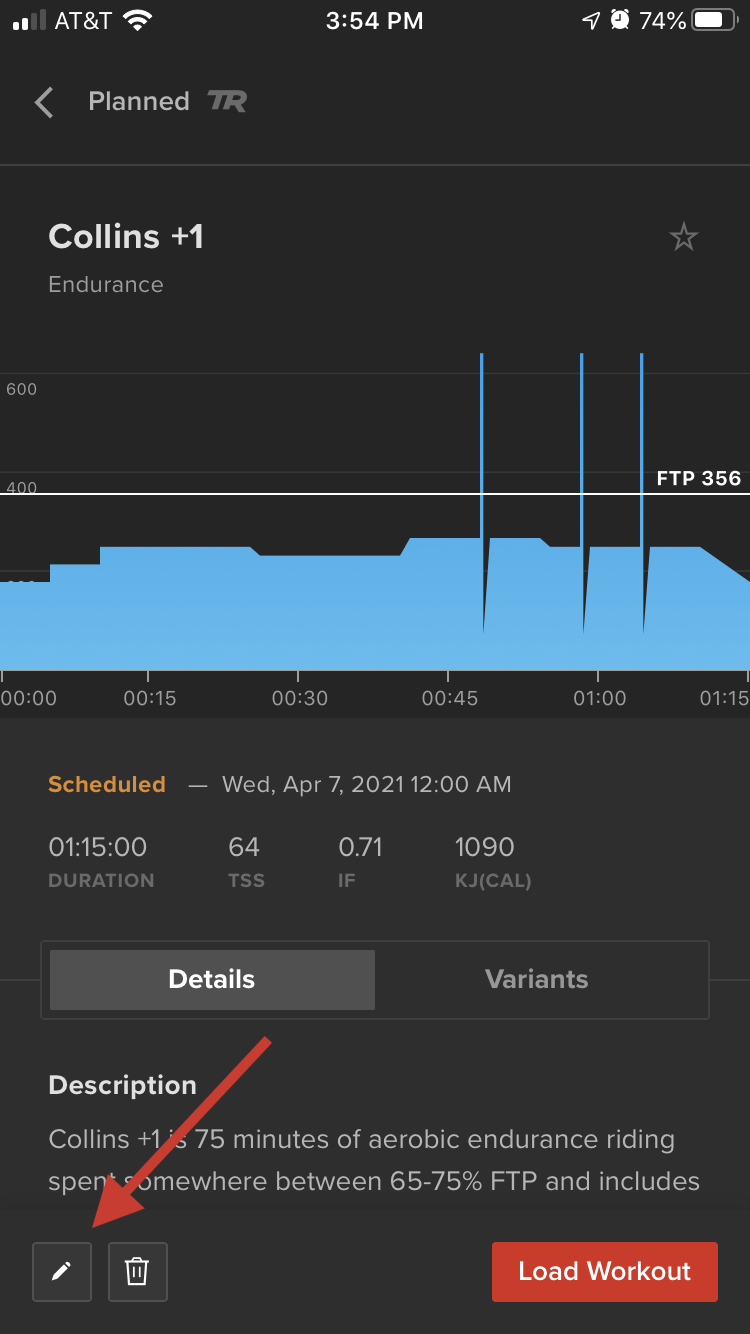
Step 2. Select a workout from the calendar you'd like to edit, and select the pencil icon in the bottom-left corner.
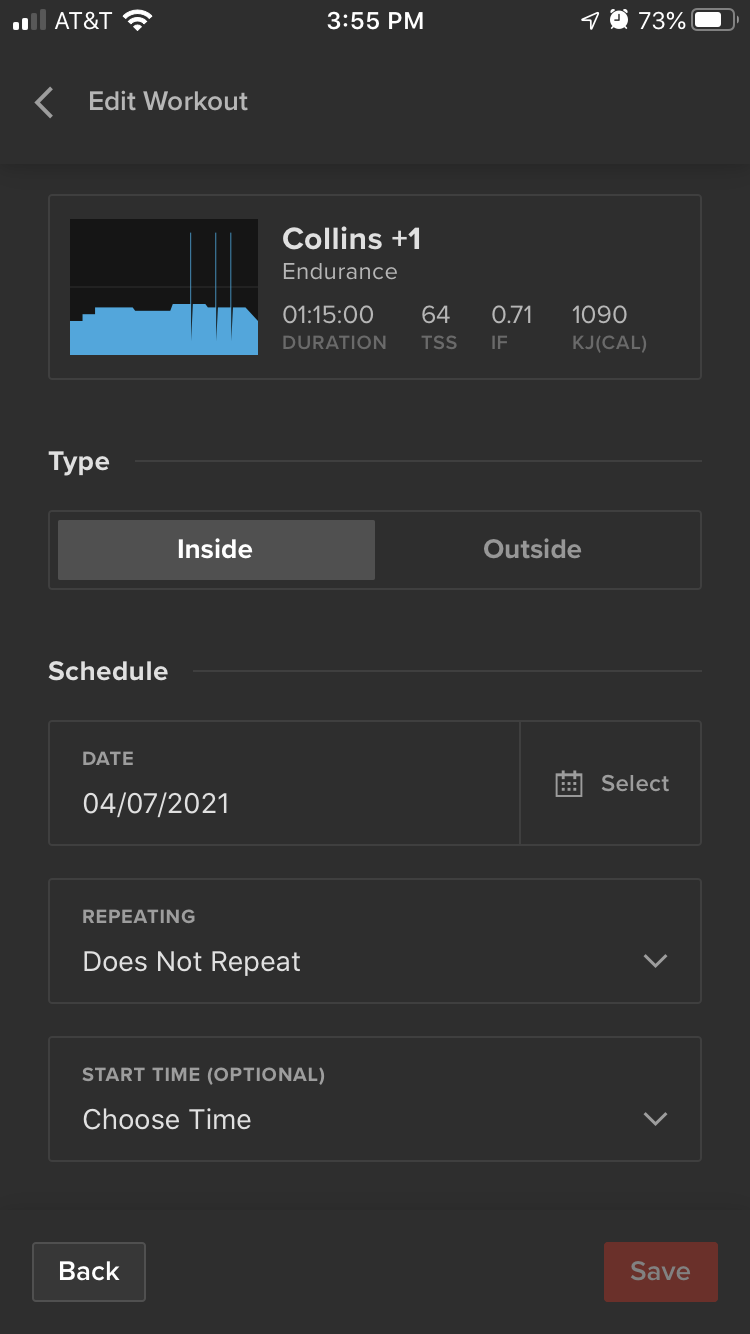
Step 3. You can do everything from the app that you can on the web! Everything from changing the workout from Inside to Outside, changing the date, setting the workout to repeat, and selecting a start time.
Step 4. Select Save after making your edits.