Time zone settings are typically the culprit of why your workouts are showing up on the wrong days.
How to Set Your Time Zone
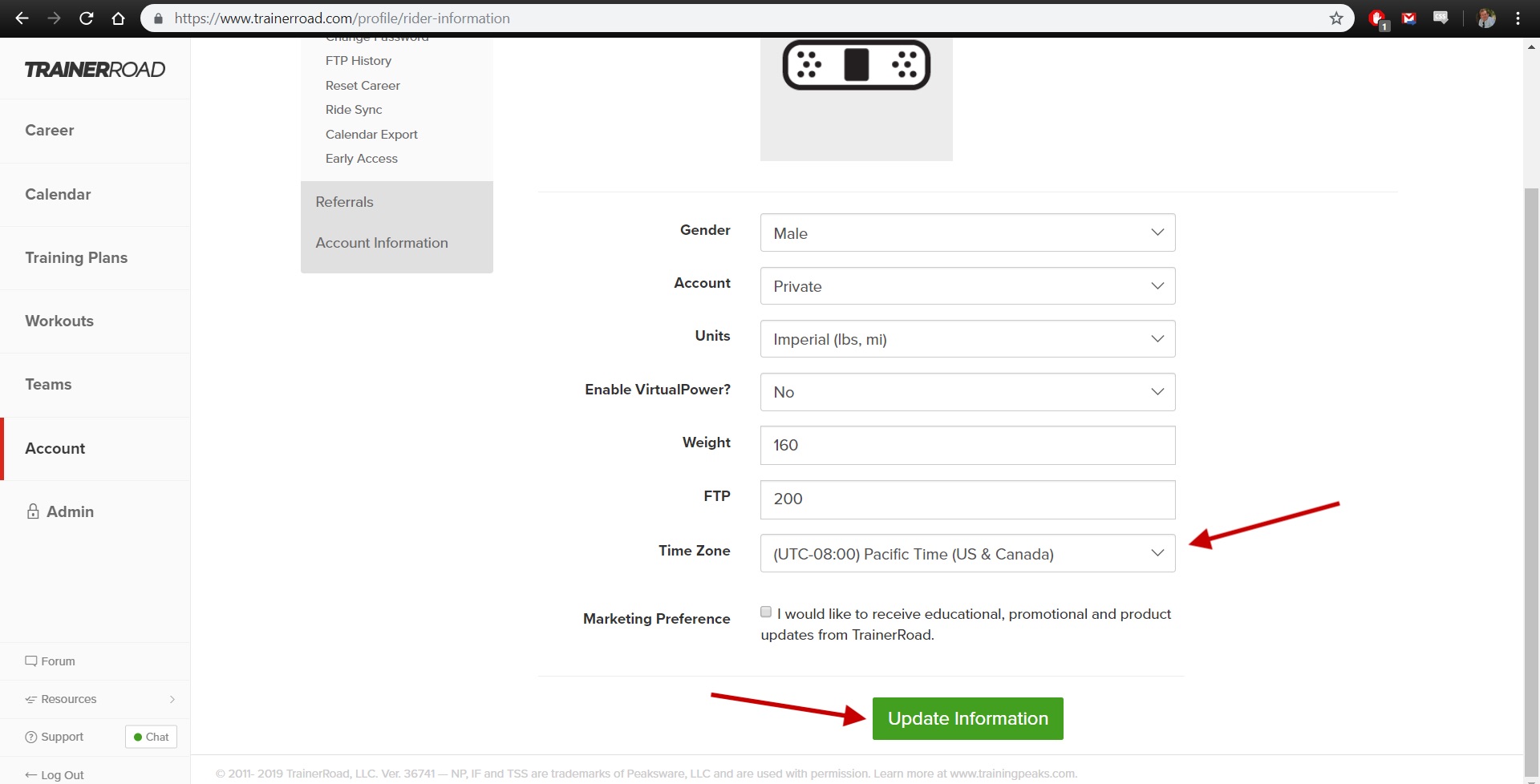
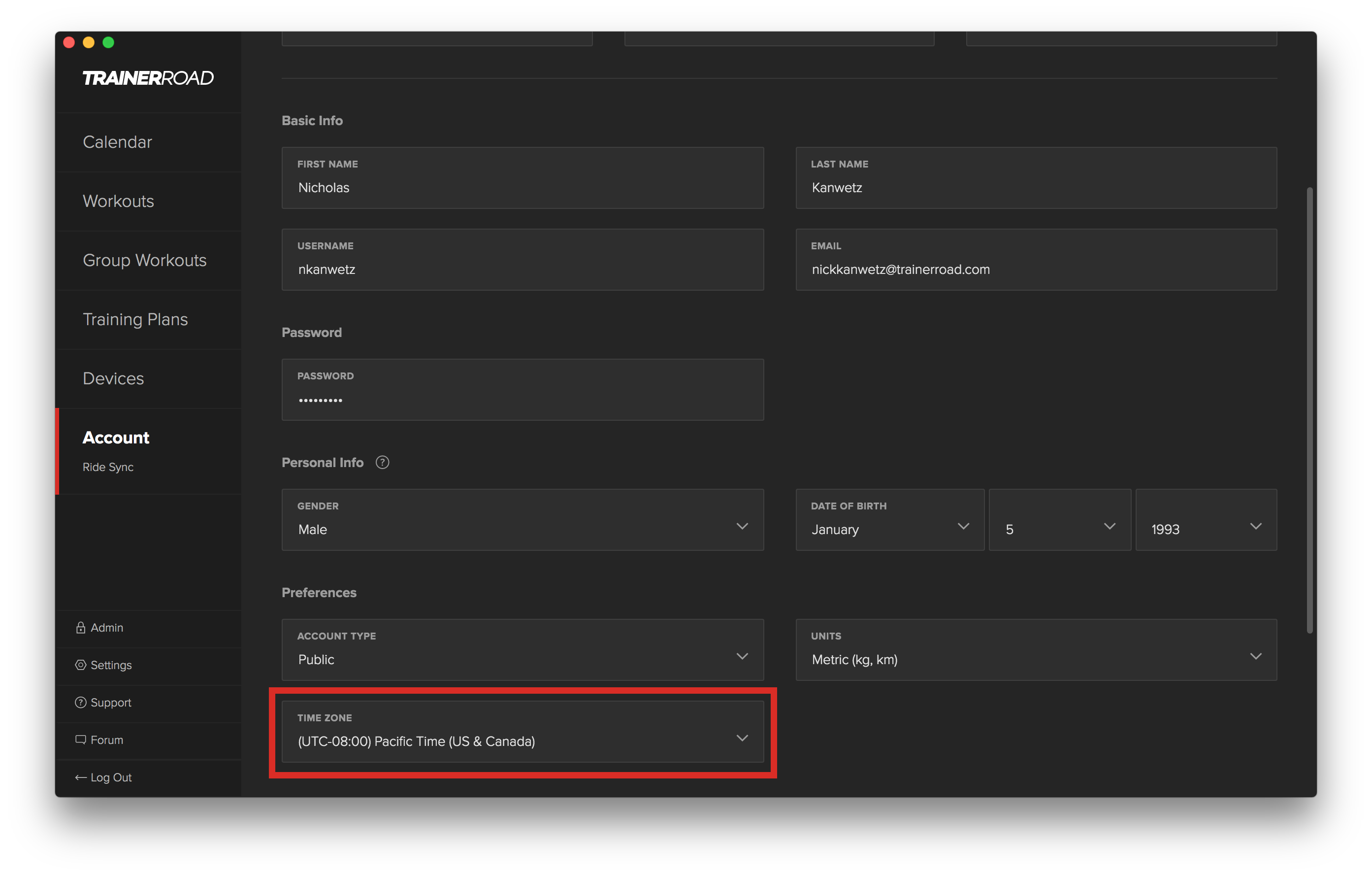
To set your time zone correctly, access the "Account" section of the TrainerRoad website or app. Under your Profile, select the drop-down box to set your time zone. Once the correct time zone is selected, select the green "Update Information" to update your settings.