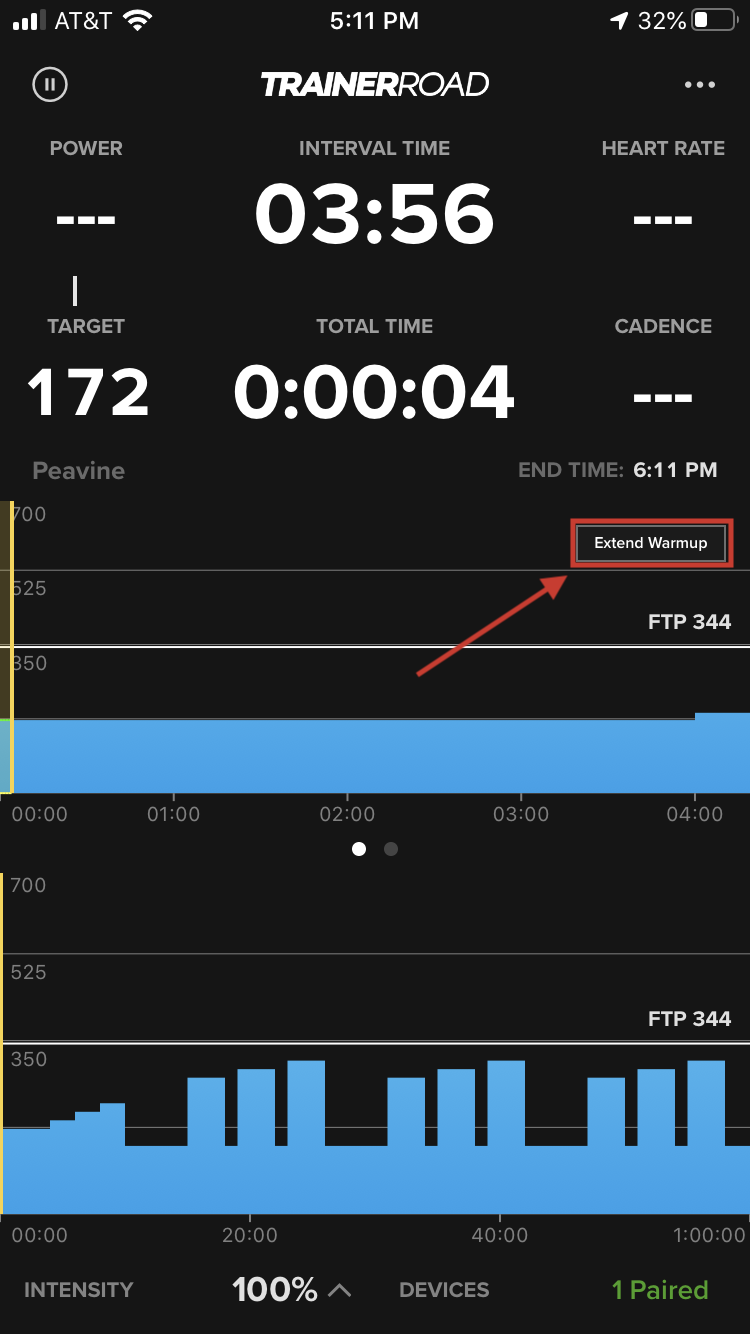
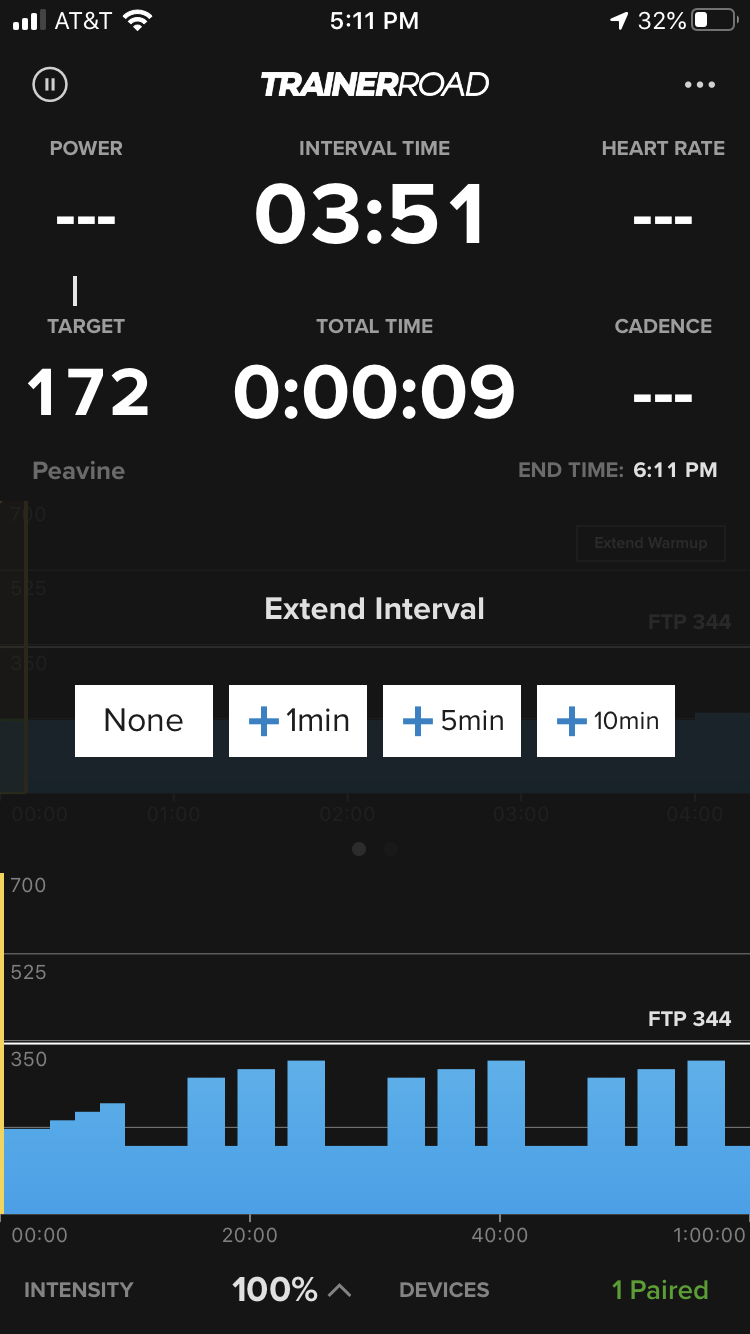
While you are in the first and last interval of the workout, you are given the opportunity to extend the warmup in one, five, and ten-minute increments.
Each button can be pressed multiple times, which allows you to precisely extend your warmup. For example, if you wanted to extend by three minutes, simply press the "+1" button three times.
This feature is available on all app platforms.
Note: You aren't able to extend the warmup on the Ramp Test. You can only extend the cooldown.
Extending Warmup/Cooldown on Desktop
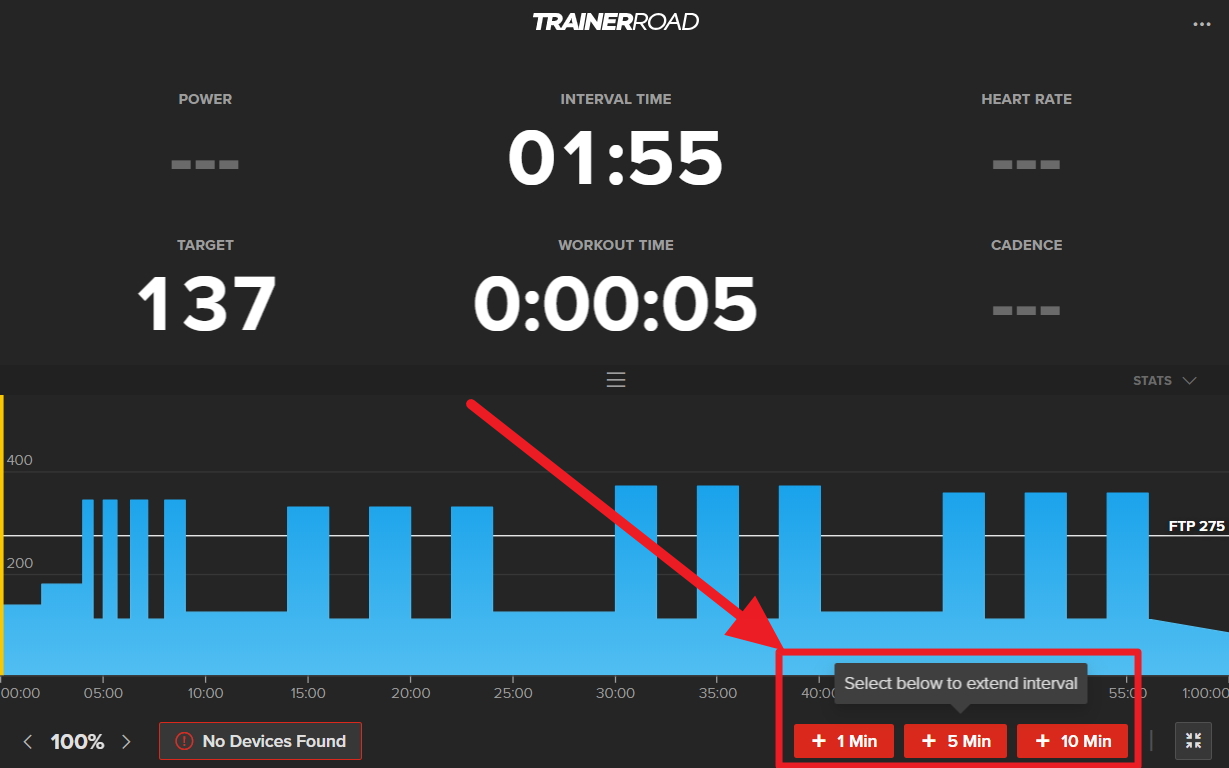
In the Desktop apps, the "Extend Warmup" buttons are found in the lower right corner of the window.
Extending Warmup/Cooldown on Mobile
In the Mobile app, you can extend the warmup/cooldown by clicking the "Extend Warmup/Cooldown" button in the middle right of the screen. From there, a menu will open that allows you to extend the warmup/cooldown to the desired length of time.